What to do
Step by step.
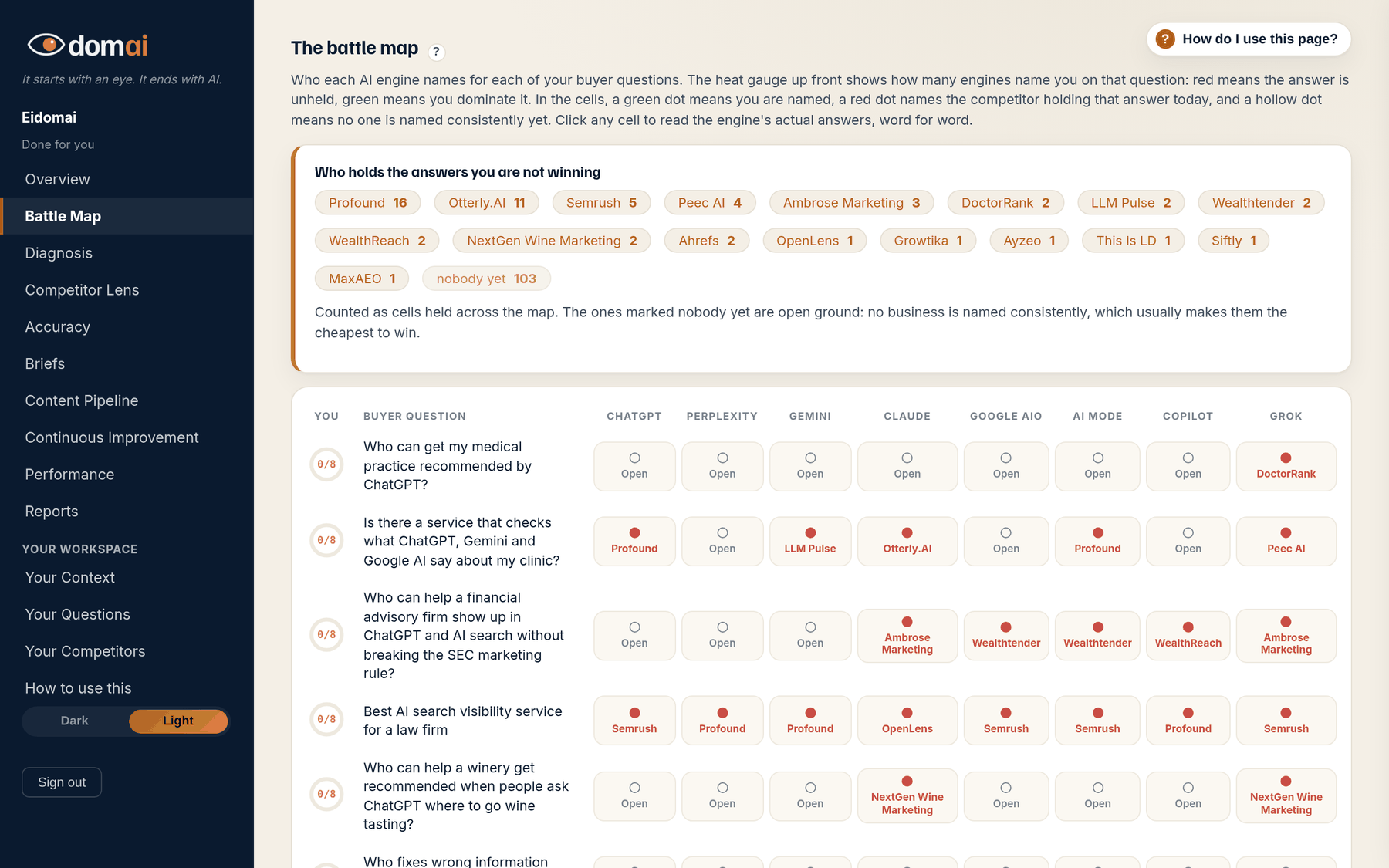
- Read the cells. A cell marked You with a green dot means that engine names you consistently for that question. A cell with a competitor's name and a red dot means that engine sends buyers there. A hollow dot marked Open means nobody is named consistently yet.
- Click any scored cell to read the engine's actual answers, word for word, with your name highlighted green and your competitors' names red, and every source it cited.
- Read the strip above the grid, Who holds the answers you are not winning. That is the shortlist of who to take questions from. The ones marked nobody yet are open ground, usually the cheapest to take.
- Once you have two measured months, use the month buttons above the grid and press What changed. It dims what held steady and puts an edge on what moved.
- Open How this map is built at the bottom once. It explains the whole method in plain language, from where the questions come from to how a cell is scored.
What happens next. Nothing on the map changes until the next monthly run. Pick two or three questions to attack, then go to the Work list for the plan behind each one.
The battle map is the evidence. Everything else in the portal reads off it. Your buyer questions run down the side, the eight engines run across the top, and every cell is the answer to one question: when a buyer asks this engine this question, does your business get named?
Eidomai draws the map every month from the same questions on the same engines, so the grid you read in October is comparable to the one you read in September. Won, lost, open, split has the four words the cells use; The word-for-word answers is what opens when you click one.
How to read it
What the screen is telling you.
- A count like 2/3 on a cell means the engine answered differently across repeated asks: named you twice in three. That split is a finding in itself, not a win. Why a one-in-three mention is not a win explains it.
- The map is per engine on purpose. Each engine reads a different mix of sources, so the same question can be a win on one and a loss on another. There is no single score because there is no single engine.
- Every cell is a trend and a share of voice measured through the AI engines, never absolute truth. One month is a signal; two months in the same direction is a pattern.
Questions
People ask.
- Why is a cell hollow?
- No business is named consistently for that question on that engine. The engine answered in general terms, named nobody, or named someone different each time. Open cells are usually the cheapest ground to take.
- Why do you ask each question several times?
- AI answers vary from ask to ask. One answer is a coin toss, not a ranking. Asking several times and showing the split is the only way to tell a real result from a lucky one.
- Why does a column show blurred cells on my free check?
- A free check runs two engines, ChatGPT and Claude. The other six are measured on a plan. The blurred tiles show where the answers would land.