Step by step.
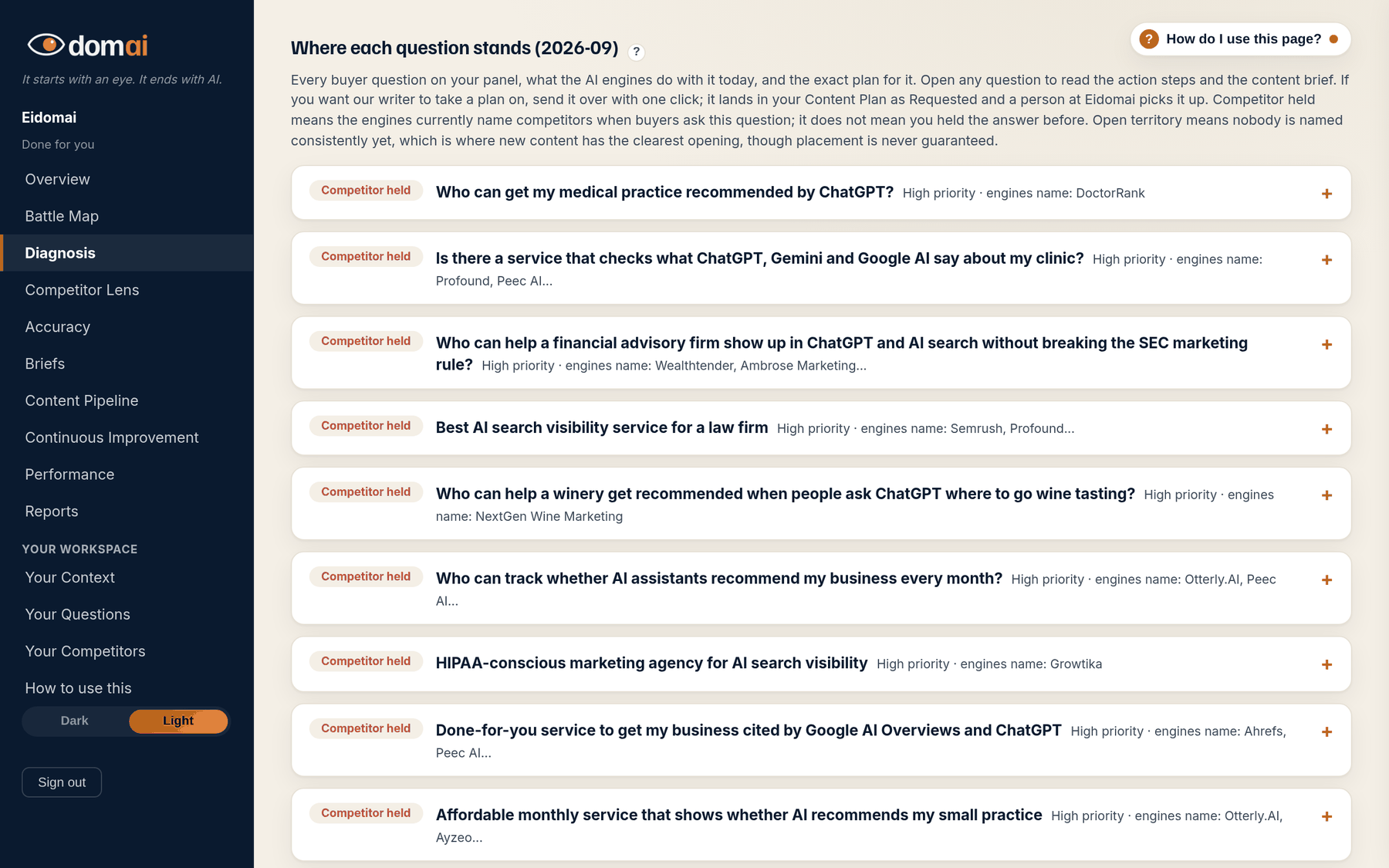
- Work top down. Questions are sorted by how much they matter and how far you are from being named, so the first few rows are the month's work.
- Read the status pill on each row: You are named, Partly visible, Competitor held, Open territory. The line beside it says who the engines name, and the sentence under it says why you are not the answer: the sites the engines build the answer from, and whether anything of yours targets the question yet.
- Open a question to read The steps (numbered) and the Content brief behind it: the content that would earn the answer, with its structured data and call to action.
- On The Map, the same row holds the task: the copy-ready prompt, the draft check and the ship marker. Copy the prompt, write the content, check the draft, mark it shipped. On Done for you, press Send this plan to our writer and it appears in your Content Pipeline as Requested; a person picks it up.
- On The Scan you see every row and its one-line why, plus one brief and prompt a month. Pick any question, press Use this month's piece on this task, and it opens with its steps, brief, prompt and 3 draft checks. It stays open. The row marked Start here is a good first pick. The Map unlocks every task, every month.
What happens next. Opening a task changes nothing on the map. The content you write from it, once shipped and re-measured, is what does.
The battle map says what happened. The Work list says why, one question at a time, and what to do about it. Every row is a measured question with its status, who holds it, one line on why you are not the answer, and a plan built from what the engines cited.
The plan has two halves. The action steps are about sources: a listing to fix, a page to update, a directory that says the wrong thing. The brief is about the content: what would need to exist on your site for an engine to name you. On The Map the work starts in the same row: the prompt is already filled in, and the draft check and the ship marker sit under it.
What the screen is telling you.
- Competitor held plus a cited source you can influence is the fastest kind of gain: fix the source, and the engine has a reason to change. Competitor-owned sources are never outreach targets; those answers are countered with content of your own.
- Open territory is the cheapest ground. Nobody is named consistently, so content that answers the question plainly is often enough.
- You are named rows have no task. You hold that answer today and it is measured again every cycle.
- High, medium and low priority combine how much the question matters to your business with how many engines you are missing on.
People ask.
- Does anything here write the content for me?
- No. On The Map each task carries a prompt built from your verified facts; you or your writer write the content and the draft check scores it. On Done for you it starts a person. Nothing is auto-generated or published without your approval.
- Where did the Briefs tab go?
- It is part of this list now. Every brief sits on the question it answers, with its prompt, draft check and ship marker. Old links to Briefs open the matching row here.
- Why does a question I care about sit low on the list?
- The order weighs importance against distance. A question you already hold, or one every engine answers in general terms, sits lower than one a single competitor is winning with a source you can fix. Start it anyway; the order is a suggestion.
- The plan mentions a source I cannot change.
- Some sources belong to a competitor or a publisher. The plan says which, and counters those with content rather than outreach. If a step still asks for something you cannot do, tell us with Send a note on the matching claim on Accuracy, or send a support request at eidom.ai/support.