Step by step.
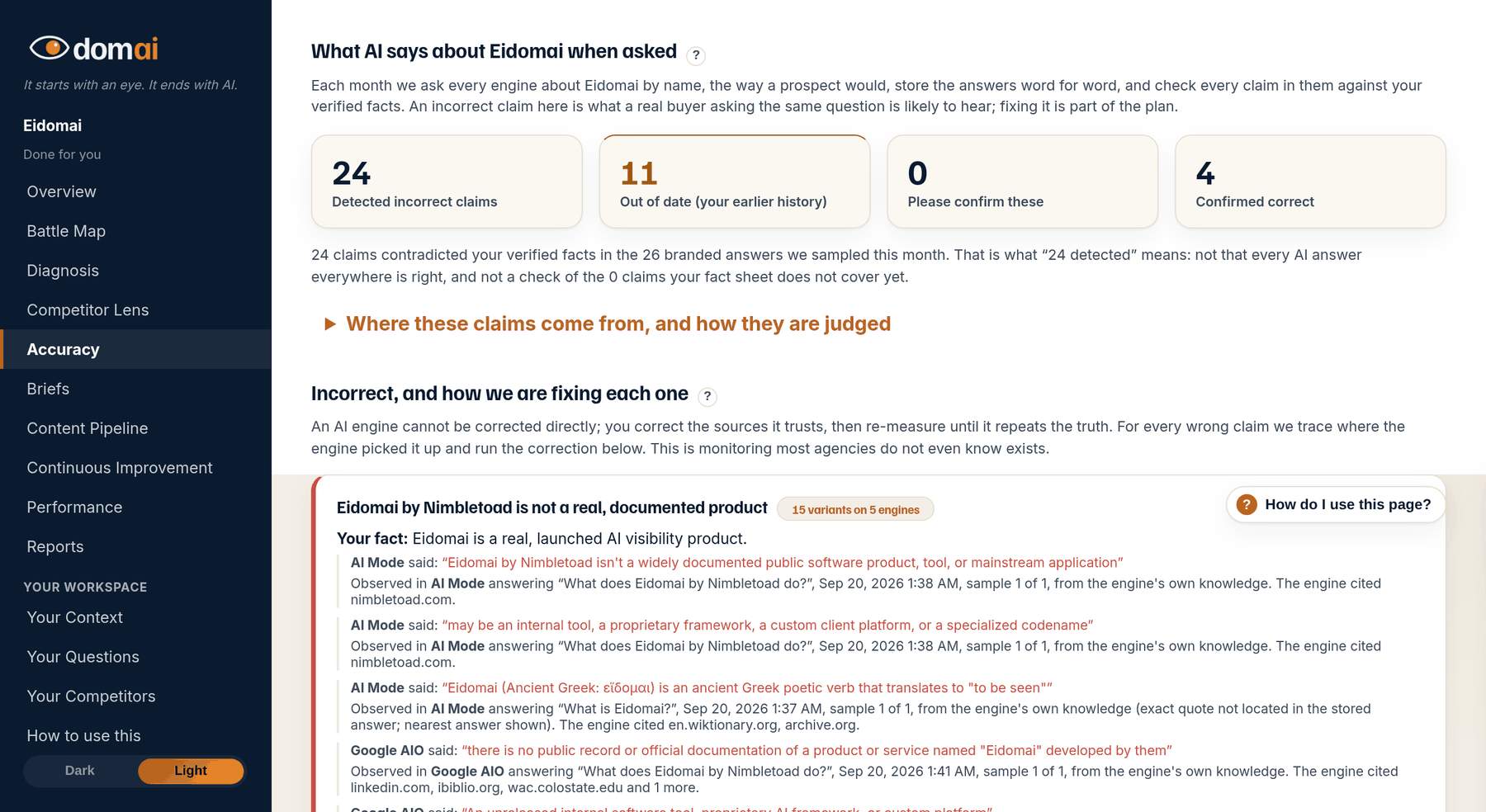
- On the Accuracy tab, open Out of date. These are claims that match your past, not your present.
- For each one, check that the ledger tells the story. Open Your Context and look for an entry that says what it was and when it ended. If there is none, add one with the add-to-context box, or answer the last interview question, which asks exactly this.
- Tick the correction steps that are yours. An out-of-date claim usually traces to a page that still describes the old business; the plan names it.
- If the claim is not out of date but simply right, press Actually, this is true. If a step in the plan treats your own earlier business as a stranger, press Not right on that step.
What happens next. Once the ledger holds the story of what changed, the briefs can write the content that says it, and the next run shows whether the engines moved to the current version.
The Accuracy tab keeps two kinds of wrong apart. Incorrect is a claim that was never true. Out of date is a claim that was true once: the office you moved out of, the service you stopped offering, the business that used your name or your domain before this one did.
They get separate tabs because the fix is different. An engine repeating an old truth has sources to point at, so a flat correction does not convince it. What convinces it is current content that tells the whole story: what it was, when it ended, what it is now. That is why the interview ends by asking whether your name, your domain or your founder had a previous life. Say what it was and when it ended, and the plan can be written so the engine is corrected rather than called a liar.
What the screen is telling you.
- The earlier-business case is the common one. A domain or a name that had a previous life (an old company, a product that changed direction, a former trading name) leaves pages the engines still read. The engine is not lying; it is repeating an old story. The fix is current content that tells the whole story, so the engine is corrected rather than contradicted.
- Out-of-date claims are judged against the same sheet as incorrect ones. The sheet needs both the old fact and the date it ended, which is why the interview's last question asks for exactly that.
- Both tabs carry the same correction plan and the same buttons. Only the root cause reads differently: an old source rather than a wrong one.
People ask.
- Why not just mark old claims incorrect?
- Because a correction that says the old thing was never true reads as false to an engine that can see the old pages. Content that says what it was, when it ended and what it is now is believed. The two sections exist so the plan can be written the right way.
- The old business was mine. Does that matter?
- Yes, and it is the thing to tell the ledger. If a plan step treats your earlier company as an unrelated third party, press Not right on the step and say so in one line. The plan is rewritten around it.
- Is this the same as entity accuracy?
- They are related. An out-of-date claim is one old fact. Entity accuracy asks whether the whole answer describes the business you are now or the one you were. A page that still describes the old business usually shows up in both.
- How long until the engines catch up on an old fact?
- Longer than a simple wrong number, because the old pages keep existing. The lag printed under each claim is the honest estimate. Current content that tells the story is what shortens it.